滑块-MFD组件(The English version of the instructions is located in the lower half of the article.)
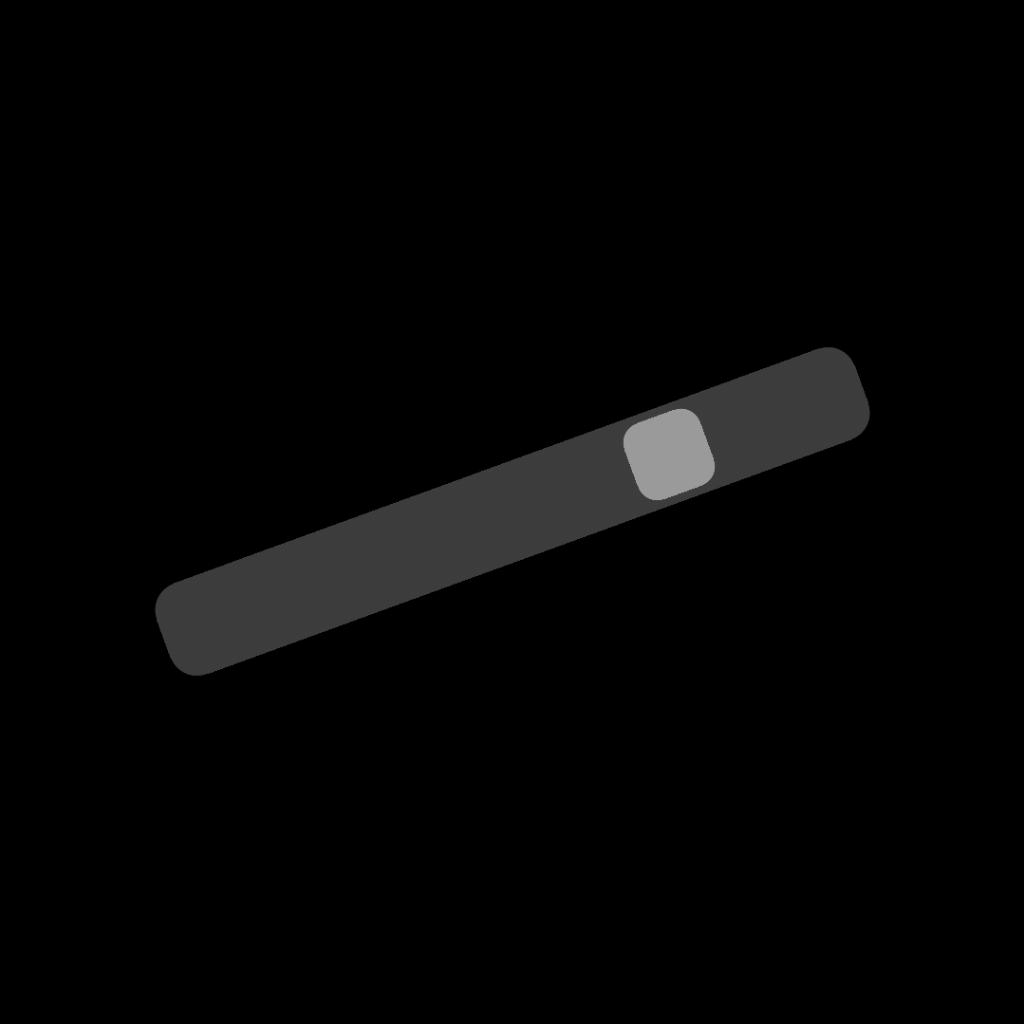
这是一个MFD(多功能显示器)预制组件,其输出值范围为-1至1,支持多项自定义设置,包括:
- 名称(name):为组件指定标识名;
- 父部件(parent):定义组件所依附的上级对象;
- (相对)坐标(Position):设置组件在父部件中的相对位置;
- 长度(横纵比固定)(length):调整组件长度(宽高比锁定);
- 滑条底颜色(Base color):自定义滑条背景色;
- 滑头颜色(Slider color):自定义滑块(滑头)颜色;
- 不透明度(Opacity):调节组件整体透明程度;
- 旋转角度(Rotation-DEG):以度为单位设置组件旋转角度。
组件已内置输出与编辑滑块位置的核心程序,具体用法可进入程序编辑页面查看注释说明。
使用建议:不建议将不透明度设为低于1的值。因本组件由多个子部件组合而成,低不透明度可能导致显示效果杂乱,影响视觉体验。
希望它能为你的作品质量提升添一份力!
Slider-MFD Component
This is a pre-fabricated MFD (Multi-Function Display) component with an output value range of -1 to 1, supporting multiple custom settings, including:
- Name (name): Assign an identifier name to the component;
- Parent (parent): Define the parent object to which the component is attached;
- (Relative) Position (Position): Set the component’s relative position within the parent part;
- Length (aspect ratio fixed) (length): Adjust the component’s length (aspect ratio locked);
- Slider Base Color (Base color): Customize the slider’s background color;
- Slider Head Color (Slider color): Customize the slider (slider head) color;
- Opacity (Opacity): Adjust the component’s overall transparency;
- Rotation Angle (Rotation-DEG): Set the component’s rotation angle in degrees.
The component features a built-in core program for outputting and editing the slider position. For specific usage details, refer to the comments in the program editing page.
Usage Suggestion: It is not recommended to set the opacity below 1. As this component is composed of multiple sub-components, low opacity may result in cluttered display effects and compromise the visual experience.
Hope it helps enhance the quality of your work!
GENERAL INFO
- Created On: Android
- Game Version: 1.3.204.1
- Price: $631k
- Number of Parts: 3
- Dimensions: 2 m x 2 m x 2 m
PERFORMANCE
- Total Delta V: 0m/s
- Total Thrust: 0N
- Engines: 0
- Wet Mass: 1,132kg
- Dry Mass: 1,132kg
STAGES
| Stage | Engines | Delta V | Thrust | Burn | Mass |
|---|